 Home
Home |
Contact Us |
Technical Support |
About Us |
News & Events |
Newsletters |
|
|
|
|||||||
|
|
||||||||
|
| PowerTrack� Construction | ||||
PowerTrack� Mobile Solution Builder for ConstructionStreamline operations and boost productivity by using PowerTrack mobile software to automate your paper reporting requirements. Using rugged handheld terminals, your supervisors can submit their field information for labor, equipment, production and materials faster and more accurately. PowerTrack consists of a PC server application and client software running on Microsoft Windows Mobile PDAs or PC workstations. The system can be set up using a wireless network for rapid data delivery or with batch communications. How it Works Current employee, equipment, material and job information from the main office computer is automatically downloaded to your supervisors' PDAs. On the job, the PDAs are used to quickly and accurately scan employee badges and equipment using bar codes or by selecting data from a scrollable list. A transaction type is selected from a drop down menu on the PDA, and the associated prompt buttons for that transaction type will display on the PDA. Using the integrated scanner, keypad, user-selectable lists or search functions on the PDA, data is entered for each prompt button. Posted transactions can be viewed and edited on the PDA by the supervisor before being transmitted to the PowerTrack server. During synchronization, the data collected with the PDA is uploaded to the server, and new employee and job data, configuration changes, etc., are downloaded to the PDA. Once the information is reviewed, PowerTrack can export the collected data to the company's job cost accounting package. The PowerTrack Edge
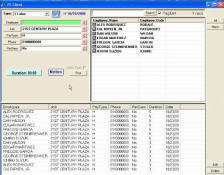
Set up and Configuration Tailor the system to your unique operation by using the configuration utility to define transaction types, prompt buttons and field names. Optional control settings for each prompt button are entered to define data entry methods, validate entered data with the PDA database, set required data entry fields, continue to display the same data value in a field after posting, auto-fill data, auto-post when all required fields are entered, and allow unknown, non-validated data entry to be posted. Time collection logic can be set to collect time as durations, or as real time - recording start times and durations as they occur. Transaction Review and Reports All transaction records uploaded from the PDA to the PC server may be reviewed and edited using Transaction Review. Filtering records for viewing by transaction type and by field allow for a variety of ways to analyze data. Selected records are displayed and may be edited or deleted. Any Transaction Review screen can also be printed as a report. Software Integration The PowerTrack software easily integrates with existing accounting systems. PowerTrack uses ODBC connections to pull information required for validation and selection lists directly from the accounting system database. In turn, PowerTrack sends approved transaction information either directly to the accounting system, or a text file is created for upload at specified times. More on Accounting Software Interfaces PowerTrack PC Client PowerTrack offers PC users access to all the functionality available on the PDA, with a similar look and feel. Transactions from PC users are fully integrated with the data collected from the PDAs.
|
|
Webinar
Now is the Time to Take Control of your Job Site
In-depth look at the benefits of real-time data collection, real world solutions and ROI calculations. In the News Sophisticated Time Tracking Takes the �Fudge� out of Payroll"
Electrical
contractor Gaylor, Inc, saves the company approximately one percent in annual
labor costs with an automated mobile labor tracking solution. PowerTrack is featured in Business Solutions magazine. Click above to read the article.
InformationCase Studies Gaylor, Inc. J. F. Electric, Inc. PowerTrack and Viewpoint Together Provide Power and Flexibility for Commercial Electrical Contractor Tedesco Construction, Inc. Multi-company Concrete Contractor Eliminates Error-Prone Paper Timesheets and Data Entry Labor
Press Release PowerTrack Release 5 Mobility Solution Automates Field Report for Construction Companies Feature Video PowerTrack video showing the ease of completing a Job Ticket � applying labor, equipment and material to a specific job site, followed by the creation of an easy to read form for the supervisor and customer to approve and sign. Click Here - 3 minutes
|
| Control Solutions, Inc. | POSDATA | Copyright ⓒ 2009 Compsee. All rights reserved | Home Privacy Policy |